|
Forums36
Topics42,113
Posts571,677
Members19,115
| |
Most Online20,453
3 minutes ago
|
|
|
|
Joined: Sep 2006
Posts: 149
Member
|
|
Member
Joined: Sep 2006
Posts: 149 |
|
|
|
|
|
Joined: Sep 2006
Posts: 149
Member
|
|
Member
Joined: Sep 2006
Posts: 149 |
If there is anyone who can help me with this problem please feel free to type to me like a 2 year old :)I'm very happy to be able to get the pics here to the forum but, it sure would be nice to be able to type alittle around the pic if you know what I mean.
|
|
|
|
|
Joined: May 2004
Posts: 14,676 Likes: 509
Moderator Lunker
|
|
Moderator Lunker
Joined: May 2004
Posts: 14,676 Likes: 509 |
kristoffer, I am going to talk about the raw text in the full reply form as it would appear to you while you are making an entry.
Here is what you had entered for the link to the picture a couple of posts up: [youRL=http://i144.photobucket.com/albums/r167/dogear22/pond001a.jpg?t=1177534392]pond today in the rain.[/youRL]
(except the word "you" inside each set of brackets is actually just the letter "U").
This is how text appears when you are posting a link; it is the same (or at least pretty close) as when we use the "URL" button below the full reply form (next to the instant graemlins) to link to a webpage. To do this, we copy the URL off the top of your browser window (the window containing the web page you want to link to) into the buffer, hit the "URL" button, then paste the URL from the buffer into the little URL window that has popped up.
Here is how the raw text should look in order to display the picture, rather than just linking to it:
[eyeMG]http://i144.photobucket.com/albums/r167/dogear22/pond001a.jpg?t=1177534392]pond today in the rain.[/eyeMG]
(except the word "eye" should actually be the letter "I").
To get this to happen the easiest (to me) way, I get the PBForum full display form up in my original window, then I display the photo I want to post in a separate window (or tab, if using Mozilla). I copy the URL from the top of the photo's window into the buffer, go back to the PBForum full reply form window, and hit the "IMAGE" button. A little window pops up (like when you use the "URL"button); you then need to copy the photo's URL from the buffer into this little window. That should insert your photo into your post correctly.
If not, at least you've done the on-line storage part of getting your photo ready to post and giving us the URL for it; some helpful Forum member can always quote you and fix the image so it will display like I will do below.
"Live like you'll die tomorrow, but manage your grass like you'll live forever." -S. M. Stirling ![[Linked Image from i.pinimg.com]](https://i.pinimg.com/736x/ed/b5/e7/edb5e7f935843b996cf52be593c9ebd2--smoothie-smooth-collie.jpg)
|
|
|
|
|
Joined: May 2004
Posts: 14,676 Likes: 509
Moderator Lunker
|
|
Moderator Lunker
Joined: May 2004
Posts: 14,676 Likes: 509 |
Originally posted by kristoffer1277:
[img]http://i144.photobucket.com/albums/r167/dogear22/pond001a.jpg?t=1177534392][/img]
"Live like you'll die tomorrow, but manage your grass like you'll live forever." -S. M. Stirling
|
|
|
|
|
Joined: Sep 2006
Posts: 149
Member
|
|
Member
Joined: Sep 2006
Posts: 149 |
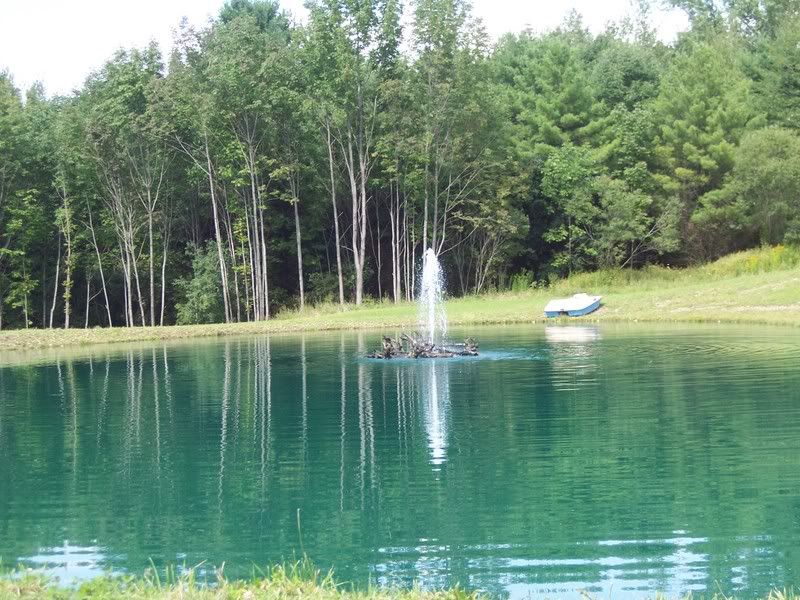 Thankyou Danm Yankee for all your help with getting me staightened out on this photo posting buiness. I can put the shotgun away for now  .
|
|
|
Moderated by Bill Cody, Bruce Condello, catmandoo, Chris Steelman, Dave Davidson1, esshup, ewest, FireIsHot, Omaha, Sunil, teehjaeh57 |
|







